{{ 'fb_in_app_browser_popup.desc' | translate }} {{ 'fb_in_app_browser_popup.copy_link' | translate }}

{{ 'in_app_browser_popup.desc' | translate }}

MENU CART {{currentCart.getItemCount()}}
The maximum number of items is 100, please adjust the quantity and purchase again
AUTOCOUNT ACCOUNTING 2.0

Smarter Accounting for Your Business

Simplify Accounting. Manage Business Better.

简化会计工作,让企业管理更轻松。

  • ✓ Streamline Your Daily Accounting Tasks 简化日常会计工作,提高工作效率
  • ✓ Gain Clearer Insights into Your Business 清晰掌握业务状况,助您做出更好的决策
  • ✓ Simplify Your e-Invoice Workflow 简化电子发票流程,轻松处理日常业务
AutoCount Accounting 2.0 accounting software
AUTOCOUNT ACCOUNTING 2.0

Why Choose AutoCount Accounting 2.0?

Discover smarter ways to manage your daily business operations.

探索更智能的方式,让日常业务管理更轻松。

ϟ

Effortless Productivity

轻松高效

▱

Enhancement Hotpicks

功能增强精选

▣

Work Conveniently

轻松办公

⇄

Better Flow

流程优化

☷

The Power of Flexibility

灵活强大

♙

Make it Personal

个性化体验

AUTOCOUNT ACCOUNTING 2.0

Effortless Productivity 轻松高效

Create reusable templates for frequently used documents and schedule recurring transactions in advance to make daily accounting tasks easier.

为常用单据创建模板,并提前安排周期性交易,让日常会计工作更轻松高效。

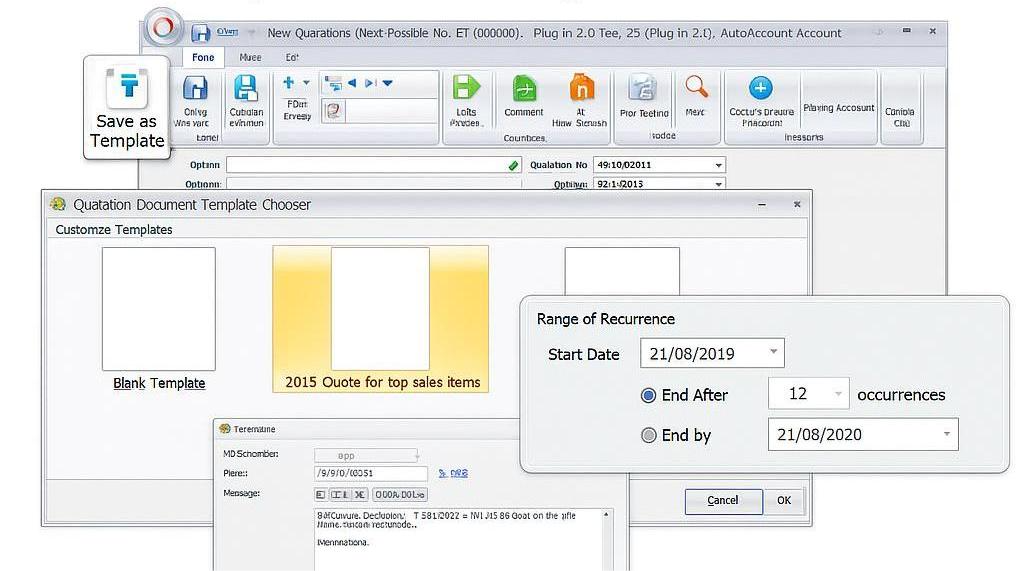
Schedule Your Recurring Entries

Schedule Your Recurring Entries 周期性交易自动排程

Schedule future recurring transactions automatically to reduce repetitive accounting work.

自动安排未来的周期性交易,减少重复的会计工作,让日常处理更省时。

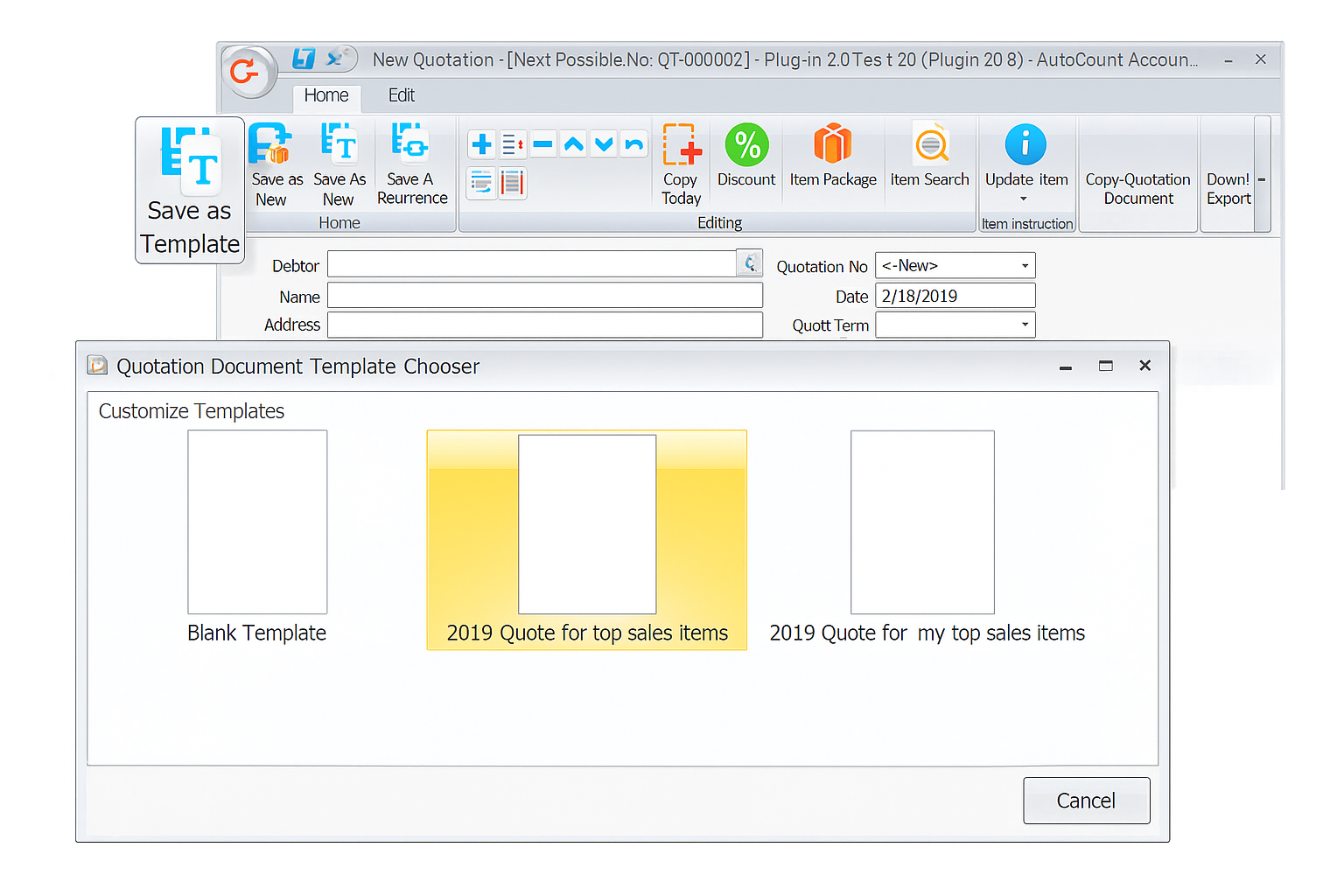
Use of Document Templates

Use of Document Templates 单据模板使用

Create reusable templates for frequently used documents, such as cash sales, to speed up subsequent billing.

为现金销售等常用单据建立可重复使用的模板,加快后续开单流程。

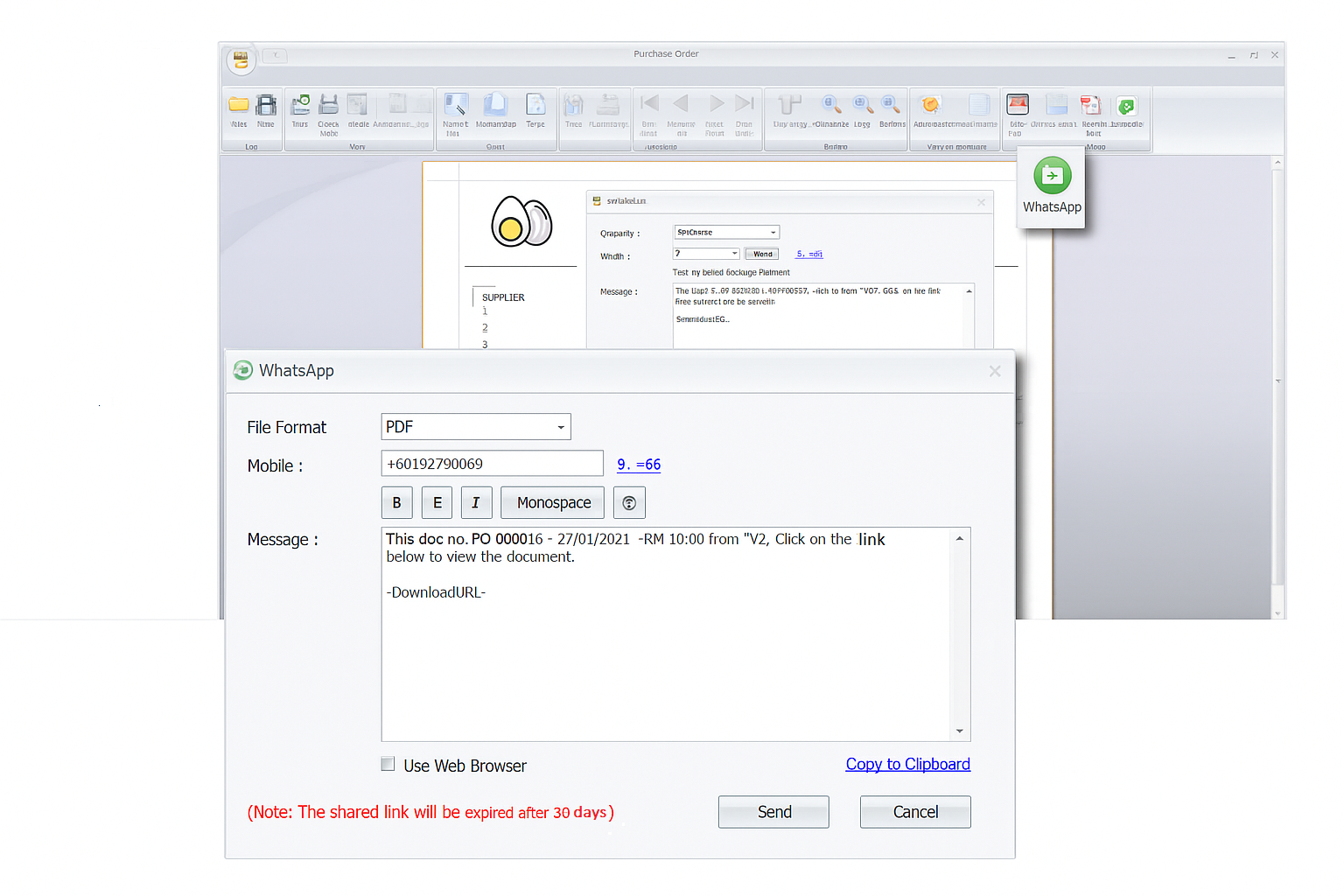
Send Documents via WhatsApp

Send Documents via WhatsApp 通过 WhatsApp 发送文件

Send documents and reports directly through WhatsApp for convenient communication.

通过 WhatsApp 直接发送单据和报告,让沟通与文件传递更方便。

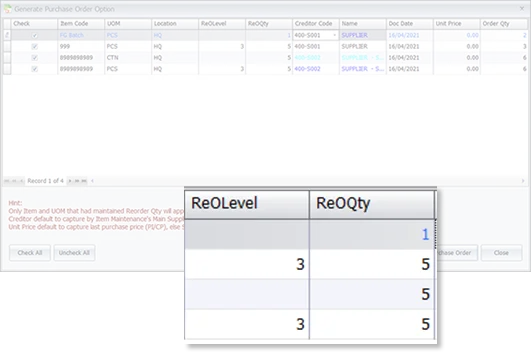
Generate PO from Reorder Advice

Generate PO from Reorder Advice 根据补货建议生成采购订单

Simplify stock replenishment by generating purchase orders directly from reorder advice.

根据补货建议直接生成采购订单,让库存补货流程更便捷。

Smarter Intelligent Costing

Smarter Intelligent Costing 智能库存成本核算

Let AutoCount handle inventory costing to help maintain accurate stock cost records.

由 AutoCount 协助处理库存成本核算,帮助企业更准确地掌握库存成本。

AUTOCOUNT ACCOUNTING 2.0

Enhancement Hotpicks 功能增强精选

Discover useful enhancements designed to improve inventory control, pricing flexibility and user management.

探索实用的增强功能,提升库存管理、价格设置与用户权限管理效率。

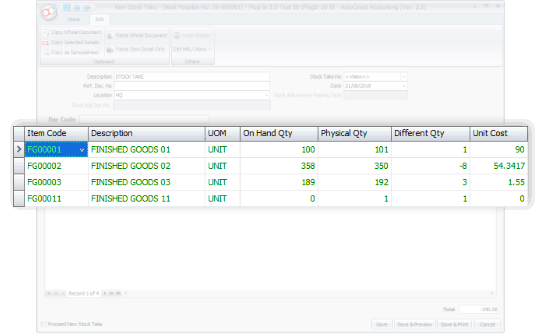
Auto-Generate Stock Adjustments

Auto-Generate Stock Adjustments 自动生成库存调整分录

Generate stock adjustment entries more efficiently to simplify inventory updates.

更高效地生成库存调整分录,简化日常库存更新流程。

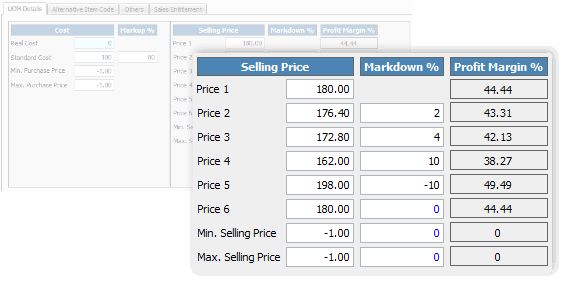
6 Levels Selling Price with Auto-Adjustment

6 Levels Selling Price with Auto-Adjustment 多层级售价自动调整

Manage different selling price levels and make pricing adjustments more convenient.

管理不同层级的销售价格,让售价调整更加方便灵活。

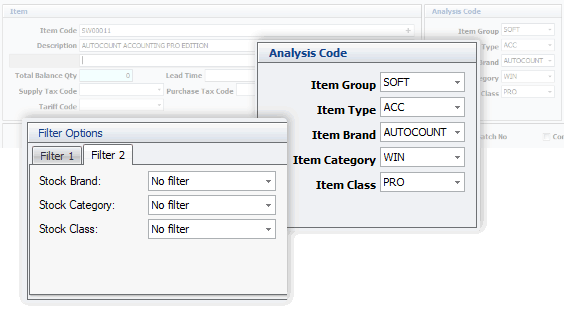
Better Stock Filtering and Analysis

Better Stock Filtering & Analysis 更灵活库存筛选与分析

Filter inventory information more effectively to support stock review and analysis.

更灵活地筛选库存资料,方便日常库存检查与分析。

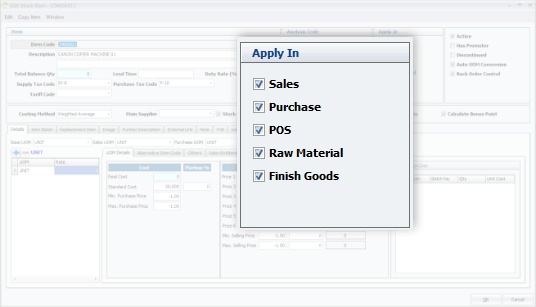
Applicability of Stock Items

Applicability of Stock Items 存货项目适用范围

Set item applicability to better control how stock items are used in business documents.

设置存货项目的适用范围,更好地管理项目在业务单据中的使用。

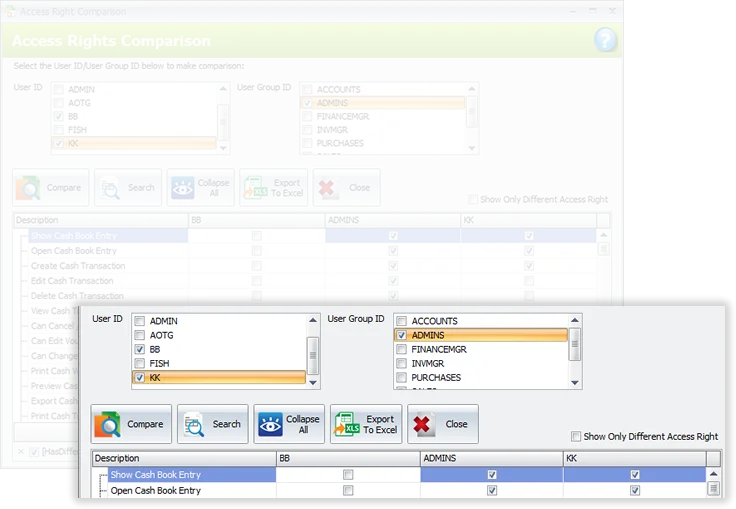
Enhanced User Access Rights Setting

Enhanced User Access Rights Setting 用户权限增强

Manage user access rights more precisely to support better control over system usage.

更灵活地管理用户访问权限,加强系统使用的控制。

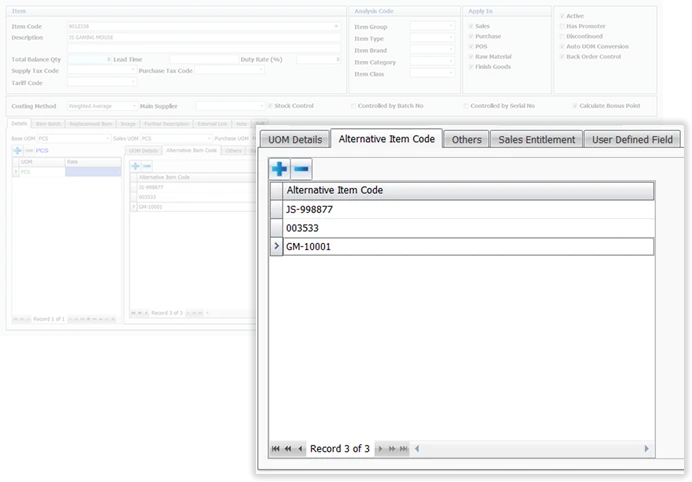
Unlimited Alternative Item Codes

Unlimited Alternative Item Codes 无限替代项目代码

Maintain alternative item codes to make product identification and lookup more convenient.

维护替代项目代码,让商品识别与查找更加方便。

AUTOCOUNT ACCOUNTING 2.0

Work Conveniently 轻松办公

Enjoy smoother daily operations with convenient functions that simplify document handling, input, and remote access.

使用便捷的功能让日常操作更流畅,简化单据处理、输入及远程访问。

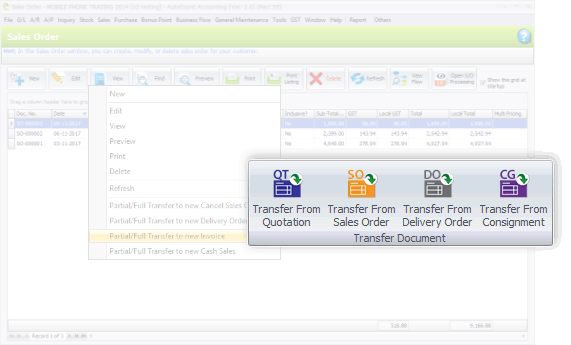
Transfer of Documents in Either Way

Transfer of Documents in Either Way 单据双向传输

When creating a new document using Transfer method, you can choose to use either 'Transfer To' or 'Transfer From'.

创建新单据时,可选择“从现有单据传出”或“向现有单据传入”,灵活高效。

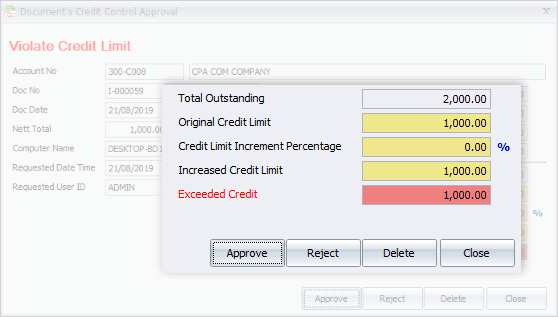
Easier Credit Control

Easier Credit Control 信用控制更便捷

Any creation of documents violating credit limit will send a prompt requesting approval.

超过信用额度的单据创建会即时提示并请求批准。

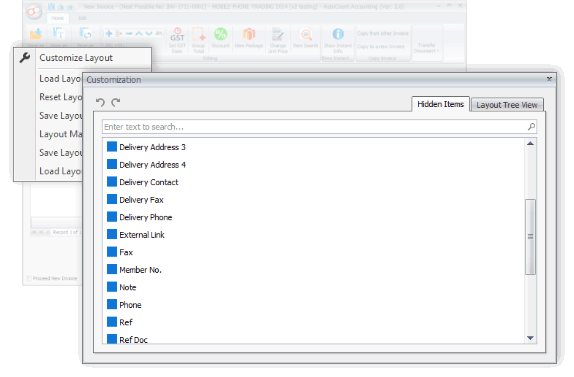
Define Your Own Input Layout

Define Your Own Input Layout 自定义录入布局

You can define additional fields for sales, purchases, and inventory.

可自定义销售、采购、库存额外字段,便于录入信息。

Internet Login (Internet User)

Internet Login (Internet User) 远程网络登录

Access your office database from home via internet anytime.

可通过网络远程访问办公室数据库。

AUTOCOUNT ACCOUNTING 2.0

Better Flow 流程优化

Optimize workflow with refined modules and better document flow.

精细化模块与优化单据流程,提高工作效率。

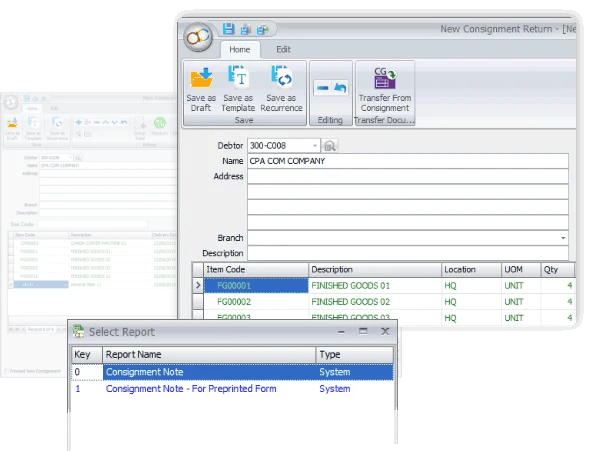
Refined Consignment Module

Refined Consignment Module 精细化寄售模块

Efficiently manage consignment activities with complete tracking from consignment notes through return invoice processing to real-time inventory status reports.

高效管理寄售活动,完整追踪从寄售单、退货发票到实时库存状态报告。

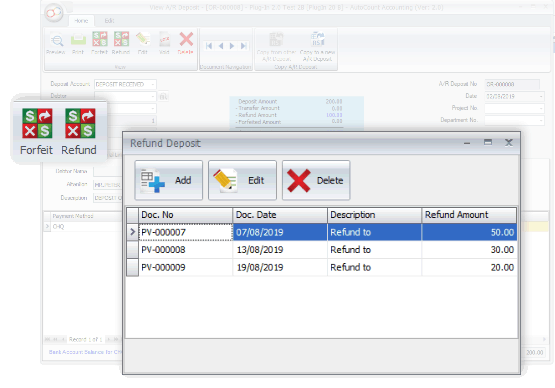
Deposit - Apply, Refund and Forfeit

Deposit - Apply, Refund & Forfeit 押金管理

Record deposits received, transfer of deposit (as payment) to offset invoices, and multiple entries for refunds and forfeits.

系统可记录客户每笔押金、押金抵扣发票的转账,以及多次退款或没收操作。

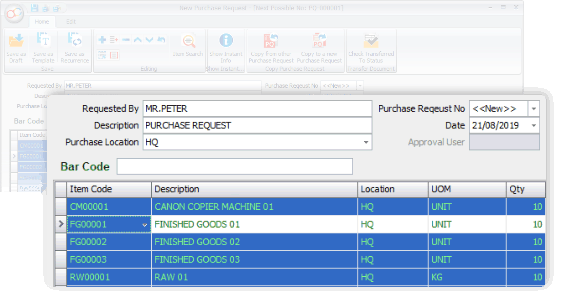
New Document - Purchase Request

New Document - Purchase Request 采购申请单

Purchase Request is an internal procurement document, typically used before sending Request for Quotation and Purchase Order to suppliers.

采购申请单为内部文件,一般用于向供应商发送报价请求和采购订单前的流程。

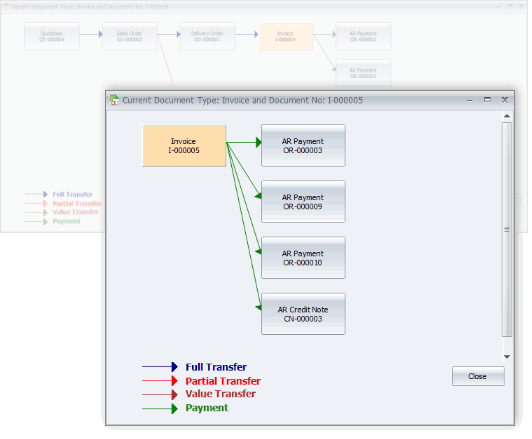
The Flow of Related Documents

The Flow of Related Documents 相关单据流程

View the complete document flow in one screen from non-accounting documents to official business billing with related payments or credit notes. Click on any document to access detailed information.

在同一界面可查看完整单据流程,从非会计单据到正式业务账单及相关付款或贷项通知单,点击任意单据可查看详细信息。

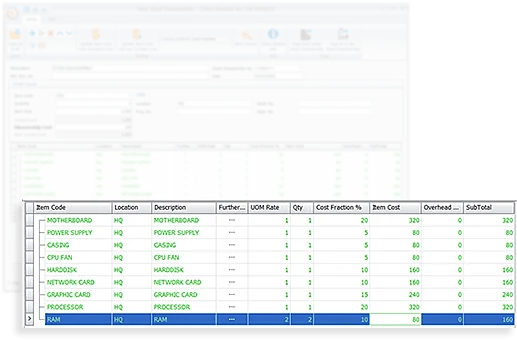
Stock Disassembly

Stock Disassembly 库存拆解

Stock Disassembly breaks finished products into multiple components while tracking costs and quantities. For example, splitting large paper rolls into different widths.

与库存组装相反,库存拆解可以将成品拆解成多个部件,同时跟踪成本和数量。例如,将大卷纸拆成不同宽度的小卷纸。

Advanced Quotation

Advanced Quotation 高级报价管理

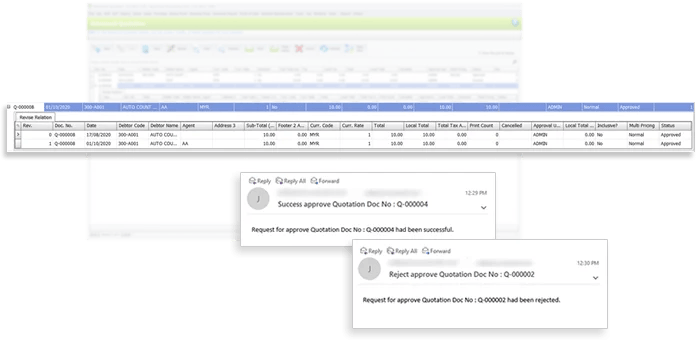
Enhance internal control before issuing sales quotations / proposals. Establish stricter approval workflows, maintain complete revision history, and receive email alerts for required actions, approvals, or rejections.

在发送销售报价/提案前实现更好的内部控制,可设置严格审批流程,保留所有修订历史,并通过邮件提醒所需操作/审批/拒绝。

AUTOCOUNT ACCOUNTING 2.0

The Power of Flexibility 灵活强大

From beginner to advanced users, enjoy more options like advanced search, detailed stock inquiry, and formula editor.

从初级到高级用户,都可使用高级搜索、库存明细查询及公式编辑器等功能。

Advanced Keyword Search

Advanced Keyword Search 高级关键字搜索

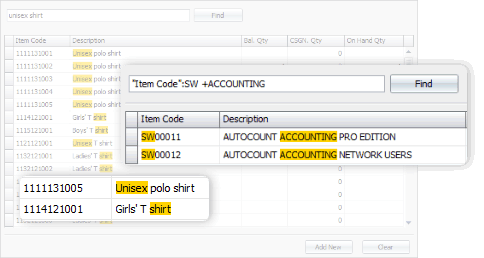
Quickly find full or partial matches in records for easier management.

快速查找全部或部分匹配记录,管理更轻松。

Stock Item Inquiry With Details

Stock Item Inquiry With Details 库存明细查询

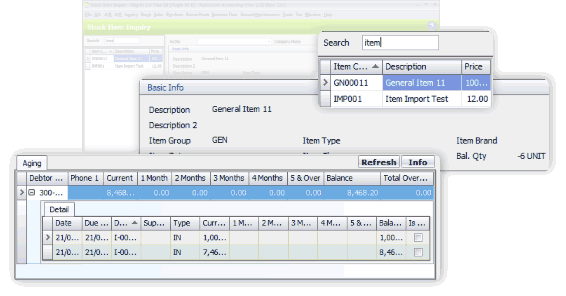
View highlighted stock item details in one screen for efficient monitoring.

在一个界面查看库存明细,监控更高效。

Use of Formula Editor

Use of Formula Editor 公式编辑器应用

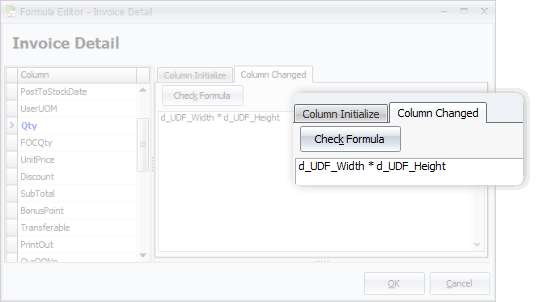
Customize document fields with formulas for advanced calculations.

可用公式自定义单据字段,实现复杂计算。

AUTOCOUNT ACCOUNTING 2.0

Make it Personal 个性化体验

Set your preferences for colors, shortcuts, and favorite functions — everything appears just as you like when you login.

设置您的颜色、快捷键和常用功能偏好,每次登录都呈现你喜欢的界面。

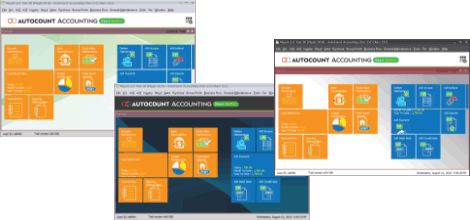
Choose Your Theme Color

Choose Your Theme Color 选择主题颜色

Pick your preferred theme color at login for a comfortable experience.

登录时选择喜欢的主题色,使用更舒适。

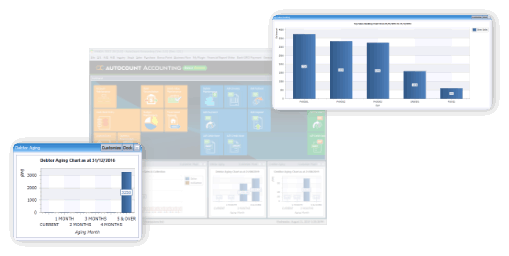
Quick Access Data Charts

Quick Access Data Charts 快速访问数据图表

Decide which tiles appear on the main page for easier access.

选择主页显示的功能模块,方便快捷访问常用功能。

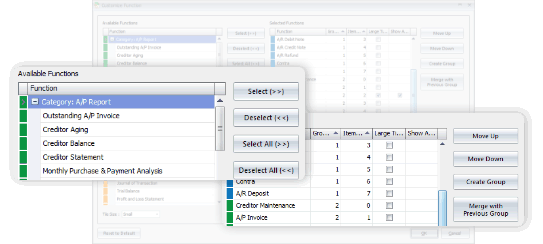
Favorite Tiles on Main Page

Favorite Tiles on Main Page 主页常用模块

Advanced users can customize document fields with formulas for complex calculations.

高级用户可使用公式自定义单据字段,实现复杂计算。

AutoCount Accounting 2.0 e-Invoicing and LHDN MyInvois

AUTOCOUNT ACCOUNTING 2.0

AutoCount e-Invoicing AutoCount 电子发票功能

Simplify your e-Invoice workflow with AutoCount Accounting 2.0. Manage invoice preparation and submission through a more organised process.

通过 AutoCount Accounting 2.0 简化电子发票工作流程, 更有条理地处理发票准备与提交。

  • ✓
    Simplify e-Invoice Preparation 简化电子发票准备流程
  • ✓
    Streamline Submission to LHDN MyInvois 简化提交至 LHDN MyInvois 的流程
  • ✓
    Support a More Organised e-Invoice Workflow 让电子发票处理流程更有条理

VIDEO GUIDES

Learning Resources 学习资源精选

Master the Basics of AutoCount Accounting 快速掌握 AutoCount 会计系统基础

Our user setup video guides are divided into short, easy-to-follow sections so you can learn at your own pace. Explore the essential steps to get started with AutoCount Accounting. 我们将用户设置教学视频拆分成简短易懂的章节,让您按照自己的进度学习,轻松掌握 AutoCount 会计系统的基础操作。

Getting Started with AutoCount Accounting

AutoCount 会计系统入门

Learn the basics of AutoCount Accounting, including the main interface and essential operations. 学习 AutoCount 会计系统基础知识,熟悉主界面和基本操作。

Basic Setup and Configuration

系统基础设置与配置

Understand the essential system settings to prepare AutoCount Accounting for your business. 学习系统基础设置和配置,让软件更贴合您的业务需求。

Exploring Key Features

主要功能介绍

Explore key features that help you manage accounting, inventory and business records. 了解主要功能,进一步熟悉会计、库存和业务记录管理。

COMSENSE SDN BHD

A Simpler Way to Manage Your Business.

Make accounting and daily business operations easier with the right software and support. 通过合适的软件与专业支援,让会计工作和日常业务管理更简单。

LET’S TALK ABOUT YOUR BUSINESS
Need help choosing the right solution? 不确定哪种方案最适合您的业务?
Get Free Consultation ↗ W Chat with our team 通过 WhatsApp 联系我们
COMSENSE SDN BHD  ·  Accounting • POS • Payroll • E-Invoice